
Download 3uTools for Windows 7, 8, 10 and 11 for Free
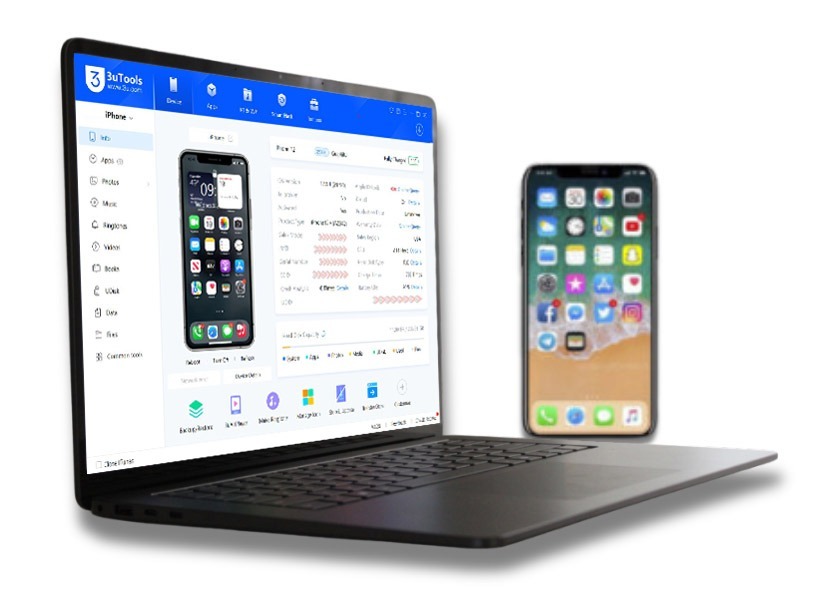
The easiest tool to handle your iPhone or iPad on a Windows PC is 3uTools. This is versatile and free iOS control software that lets users flash firmware, jailbreak, transfer documents, back up information, and monitor their device’s performance. Almost all of them have some limitations, while 3uTools for Windows has almost full control over your iOS device with an easy-to-use interface and powerful functions, which anyone can use despite their technical knowledge level, unlike iTunes.
| Application | 3uTools |
| Version | v9.06.006 |
| File Size (64-bit) | 185 MB |
| File Size (32-bit) | 197 MB |
| Update | 2026.04.09 |
| Developer | 3u Team |
Download 3uTools 64-bit for Windows
Download 3uTools 32-bit for Windows
3u Top Features
Flash and Jailbreak iOS Devices
It allows you to flash iOS firmware instantly to update or downgrade iOS. Has matches compatible device; you can also jailbreak it to bring more customized features.
Fast and Easy File Transfers
Copy documents, photos, music, and videos from iPhone to Windows PC or PC to iPhone without iTunes. Drag-and-drop capabilities make it all the easier.
Back Up and Restore Data
Safely back up your iPhone and restore whenever required. You can also choose for a full backup or a selective backup of key files.
Manage Apps Without Use of Apple ID
It lets you install, update, and remove apps without an Apple ID. This function is useful for those who want to use apps freely without any limitations.
Monitoring of Battery and System Health
To keep your iPhone running as it should, check its battery health, cycle count, storage in use, and overall performance of the system.
Make Ringtones and Mirror Screen
Turn any song into a custom ringtone, and mirror your iPhone screen to your Windows PC for gaming, presentations, or troubleshooting.
How to Download and Install 3uTools for Windows
- Visit the 3uTools.one Windows page.
- Hit Download for Windows 64-bit or 32-bit button
- After the file gets downloaded, then open the setup file (.exe).
- Install 3uTools by following the on-screen prompts.
- Run 3uTools and attach your iPhone with the USB line.
- If prompted, tap “Trust This Computer” on your iPhone.
- That’s all you need to use 3u to manage your iOS device on Windows.
In addition to device and firmware management and flashing, 3uTools includes a built-in 3uTools App Store that helps users discover, install, and, manage iPhone / iPad applications directly on their computer. This feature provides an easy way to categorize apps and discover helpful apps for iOS devices.
FAQs
Conclusion
3uTools for Windows is the best iOS management tool for iPhone / iPad users. From flashing firmware and transferring files to jailbreaking and keeping track of your device’s health, 3uTools makes the process quick, easy, and free.