3uTools Linux – How to Download and Use 3uTools on Linux Systems
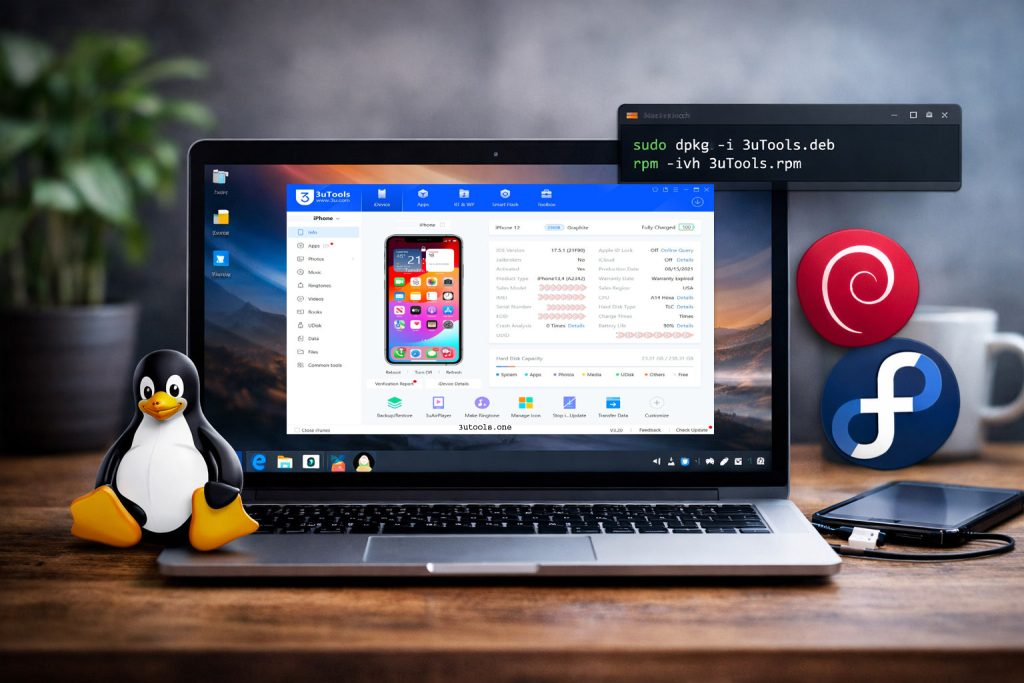
For Linux users, the popular iOS management software 3uTools is now available. The new version of Linux opens up more window options for users who do not want to run Windows but prefer Ubuntu or other downstream operations on a Linux version.
So even if you use Linux and manage iPhone or iPad devices, leave your worries behind because 3u Tools Linux brings powerful device tools to your system without a Windows PC at hand.
In this ultimate guide, you will understand what exactly 3uToolsLinux is, how to download and install it, supported Linux versions, its advantages, and some FAQs.
What Is 3uTools Linux?
3uTools Linux includes the Debian (.deb) and RPM (.rpm) packages for Linux-based operating systems, as well as the 3uTools package for the Redhat family of operating systems. It provides Linux users with the ability to manage iOS devices on their own systems.
Users are now able to avoid being dependent solely on Windows by:
- Users can identify their iPhone and iPad devices.
- File and data management
- Install apps
- Check device information
- System-level operations
This makes Linux a more powerful option for iOS device management.
3uTools for Linux Download Full Version
To install 3uTools Linux, download the correct package for your distribution:
| Application | 3uTools |
| Version | v9.0.022 |
| .deb File Size | 161 MB |
| .rpm File Size | 242 MB |
| Update | 2026.04.16 |
| Developer | 3u Team |
.deb file > For Ubuntu, Debian, Mint
.rpm file > For Fedora, CentOS, RHEL-based systems
Make sure to only download it from a reliable source to obtain the legit package.
How to Install 3uTools Linux (.deb Package)
If you downloaded the Debian package, open your terminal and run:
sudo dpkg -i yourpath/3uTools.deb
Replace yourpath with the actual file location.
If there are dependency issues, run:
sudo apt -f install
This will fix missing dependencies automatically.
How to Install 3uTools Linux (.rpm Package)
For RPM-based distributions, run:
rpm -ivh –nodeps yourpath/3uTools.rpm
Again, replace yourpath with the actual file path.
If your system requires dependency resolution, you may use:
sudo dnf install yourpath/3uTools.rpm
Supported Linux Distributions
3uTools Linux-supported systems include systems that support:
- . deb packages (Debian-based systems)
- · rpm packages (Red Hat-based systems)
Compatible Systems Include:
Debian-Based
- Ubuntu
- Linux Mint
- Debian
- Pop!_OS
RPM-Based
- Fedora
- CentOS
- Rocky Linux
- openSUSE
If your system supports .deb or .rpm installation, you can install 3uTools Linux.
3uTools on Linux – Key Benefits
Freedom from Windows
Linux: You no longer need a Windows PC to manage iOS devices.
Lightweight Performance
It is also known that Linux systems consume fewer resources than 3u, allowing for their smooth operation.
Developer-Friendly Environment
Both developers and technicians use it. 3uTools for Linux Improves Repair and Testing Workflows
Secure System Architecture
Linux is generally more stable and secure, which helps with device management stuff.
What Can You Do With 3uTools Linux?
While the feature set may evolve, Linux users can typically:
- Get device information.
- Manage apps.
- Transfer files.
- Reach battery and system info.
- Execute some tasks related to firmware.
More features might be implemented as the Linux version continues to evolve.
Who Should Use 3uTools Linux?
3uTools Linux is ideal for:
- Linux desktop users.
- Dev and testers.
- Repair technicians of mobile.
- IT professionals.
- Advanced iOS users.
This version is especially suited to those who manage iPhones or iPads but prefer open-source environments.
Is 3uTools Linux Safe?
Yes, if you download them from trusted sources. Always:
- Check file integrity
- Use standalone packages
- Update your Linux system.
- Do not use non-official or modified packages.
Frequently Asked Questions (FAQs)
Is 3uTools Linux the same as Windows?
Some features will depend on Linux compatibility. Future updates may expand functionality.
Does iOS firmware flash on Linux?
Feature support may vary. Refer to the release notes for firmware compatibility information.
Does 3uTools Linux require jailbreak?
No. Most of the core features require no jailbreaking.
Which Linux version works best?
Typically, the latest Ubuntu LTS or Fedora versions will offer the most stable environment.
Is command-line installation mandatory?
Yes, installation is done via terminal using dpkg or rpm commands.
Final Thoughts
The launch of 3uTools Linux is a significant advancement in cross-platform iOS device management. Linux users will no longer need to depend on Windows systems to manage iPhones and iPads.
However, if you are using Ubuntu, Fedora, or Debian environments and prefer to download 3uTools and install, you can do so .deb or as a result of .rpm, you will benefit from a few more features, such as performance, flexibility, and control.
As development progresses, Linux support will probably only get better and more feature-rich.