
3uTools V3 Download for Windows
Because the 3uTools V3 version has always used a classic layout and lightweight performance, so many people are still using this old version when upgrading iPhone. While most newer 3uTools releases offer visual redesigns and modern improvements, V3 remains the version of choice for many because they want to run a known workflow and tools.
If you had been using older versions of 3uTools and want to get that classic experience going through the V3 version, this guide covers everything from what V3 is, its features, what it supports and how it compares versus the latest releases.
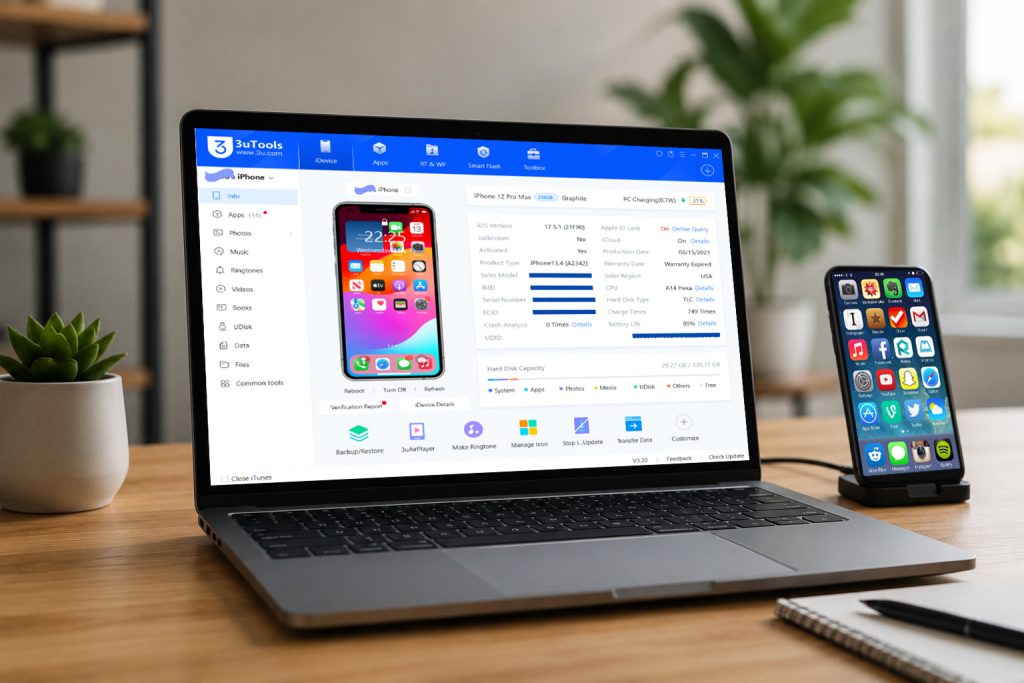
3uTools V3 Version Download
The 3utools V3 64-bit and 32-bit versions still provide most core 3uTools functions that iPhone and iPad users need for daily device management.
- Flash iOS firmware
- Backup and restore iPhone
- App and photo management
- Ringtone creation
- Battery health monitoring
- Driver repair tools
- Realtime screen support
- iOS device information
| Application | 3uTools V3 |
| Windows Version | v3.30 |
| File Size – Windows 64-bit / 32-bit | 189 MB / 194 MB |
| Update | 2026.02.10 |
| Developer | 3uTeam |
64-bit version download
32-bit version download
Why Many Users Still Prefer 3uTools V3
The foremost reason is the interface.
Older users may start using V3 and find it is easier to navigate with its stripped-down interface that feels more simplistic than cleaner. It’s all very similar, op-in, and easily accessible without having to learn a completely new interface.
Many users also report that:
- V3 opens faster on older PCs.
- Menus feel simpler.
- Flashing tools are more accessible.
- The classic design is more stable for them.
Such behavior is even more true when it comes to users constantly switching between multiple iPhones, or repair persons.
Does 3uTools V3 Version Still Work in 2026?
Yes, a lot of V3 features still function the way they were supposed to. On the other hand, full support for newer iOS versions won’t last forever.
Older versions can sometimes:
- Miss support for latest iPhones
- Have outdated drivers
- Lack new flashing optimizations
- Miss new iOS compatibility fixes
- Many users therefore hold both:
- V3 for familiar workflow
Most recent version for support of contemporary devices.
3uTools Latest Version Download
The 3uTools V3 version is still widely used, but the latest 3uTools version releases come with improvements oriented towards modern iOS devices and Windows systems.
New Features in Latest Versions
- Improved iTunes driver repair
- Better Virtual Location functionality
- Faster flashing performance
- Enhanced iOS compatibility
- Better photo and music management
- New language support
- Improved Multiple Flash tools
- Improved compatibility with new iPhone models
If you use:
- iPhone 15 or newer
- latest iOS updates
- Windows 11
- newer Apple drivers
The 3uTools latest version usually provides a smoother experience.
Should You Upgrade from V3?
That depends on your needs.
Stay on V3 if:
- You prefer the classic interface
- The process you already have in your workflow works perfectly.
- You use older iPhones
- You want lightweight software
Upgrade if:
- You use the newest iPhones
- You flash modern iOS versions very often
- You need the latest features and fixes
- And more importantly, you need better compatibility with Windows 11
In fact, many seasoned users actually set up both versions on different systems based on their workflow.
Tips Before Installing 3uTools V3
Before installing it:
- Remove damaged iTunes drivers from your PC
- Use official firmware only.
- Backup important data in your device.
- Disable antivirus temporarily if flashing firmware.
- Use original USB cables for stable connection.
These steps help reduce flashing and connection errors.
FAQs
Is 3uTools V3 version still safe to use?
Many people are still using 3uTools V3 version safely for backups, flashing, iPhone management etc. Always download 3U app from trusted sources.
Can I install the latest 3uTools version after using V3?
Yes. You can get an upgrade it any time without losing your phone data at all.
Does V3 support the newest iPhones?
Some newer iPhone and iPad devices may have limited compatibility compared to latest versions.
Are V3 interfaces different than newer releases?
Yes. The later applications a new interface and more recent highlights.
Which version is better for beginners?
The newest version is usually preferred for new users since it has access to newer devices and continues to get updated frequently.
Can I keep both 3uTools V3 and the latest version?
Some users keep both versions on separate systems for compatibility and workflow reasons.
Final Thoughts
The well-received 3uTools V3 version is still in use by many of the older, experienced iPhone users who prefer its looks and lightweight footprint. Although the recent releases come with enhanced compatibility and additional modern improvements, V3 still provides the core features we need to backup, flash/iOS management.
If you already accustomed to use 3uTools and want use the old workflow, V3 can be still a good option. But newer-generation iPhone and iPad, and a new iOS version user may also install the latest release for complete compatibility and latest tool.