3uTools App Store – Download and Install iPhone Apps Easily
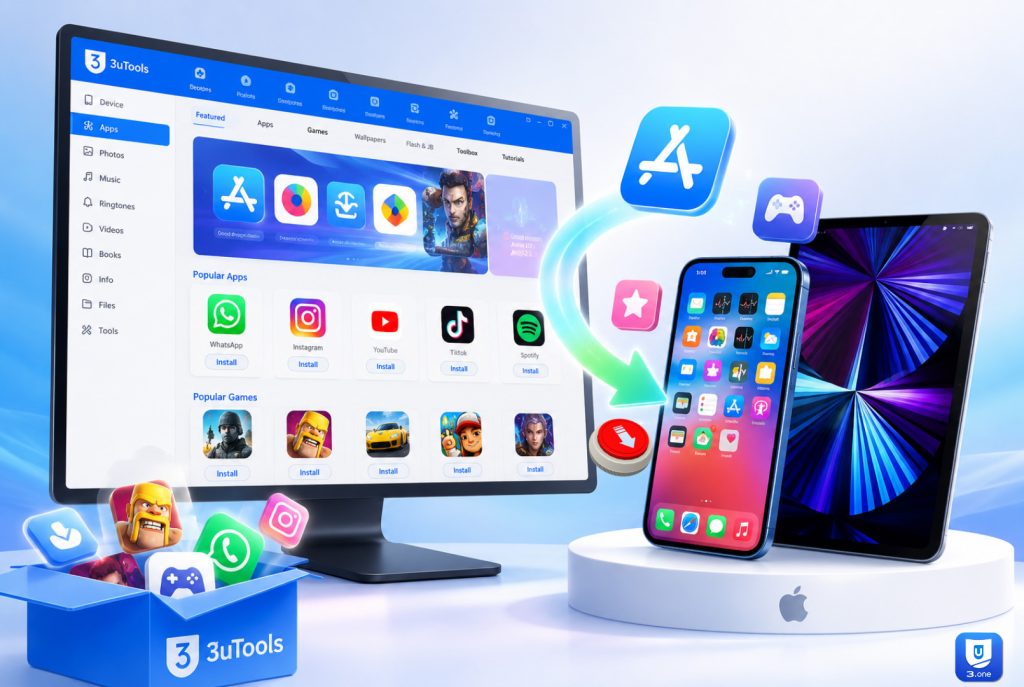
The 3uTools App Store will make it easier for you to manage apps and games on your iPhone or iPad. The 3u app management tool, built into 3uTools, lets you find apps on your computer and install and manage them there. You have good alternatives for installing new applications, keeping your existing apps organized, and other helpful tools on the 3uTools App Store to meet those needs.
3uTools is different from the regular way of managing apps; you can manage your device with a single interface, including app install/uninstall, file transfer, firmware tools, and system utilities. This is one of the best tools for iPhone and iPad users who want to have more control over their devices.
Download 3uTools App Store
To access the 3uTools App Store, you must first install the latest version of 3uTools on your computer.
Download 3uTools for Windows
Download 3uTools latest version or V3 old version for your Windows 7 and 8 32-bit version and Windows 10 and 11 64-bit version for free.
3uTools Download for Mac
3u Tools supports MacBook Air, MacBook Pro, iMac, Mac Mini, Mac Studio, and Mac Pro devices. You can download the latest 3uTools Mac version for macOS Big Sur versions to Monterey, Ventura, Sonoma, Sequoia, Tahoe, and the latest MacOS versions.
Download 3uTools for Linux
Now you can download and install 3uTools Linux .deb file version for Ubuntu, Debian, Mint OS, and .rpm file version for Fedora, CentOS, RHEL-based systems for free.
3uTools Download for iOS
If you are in supported regions (Thailand and Vietnam), you can directly install the 3uTools App Store on your iPhone and iPad. However, users from other regions need not worry. You can manage it via a Windows or Mac PC.
What Is the 3uTools App Store?
The 3uTools App Store is a built-in app library in 3uTools. It enables users to browse apps and games, find useful utilities, and manage installed applications from a Windows computer.
This App Store section was developed to organize apps in a less complicated manner and provide users with a visually appealing interface. Users can easily search for apps, see recommendations, and install supported apps without difficult processes.
This option is particularly helpful for those who often control multiple iOS devices or wish to simply organize apps more effectively on their iPhone or iPad devices.
Main Features of the 3uTools App Store
#️⃣ Easy App Installation
A simple interface to install applications supported directly from your computer
#️⃣ App Management
See what apps are installed, remove the unwanted ones, and organize your device better.
#️⃣ Fast Search Function
Software built-in search and categories make it quick to find popular apps.
#️⃣ Device Integration
It integrates nicely with the rest of 3uTools, like backups, files and firmware tools.
#️⃣ Simple User Interface
Simple and clear design, even beginners can handle apps without any technical knowledge.
How to Download Apps Using 3uTools
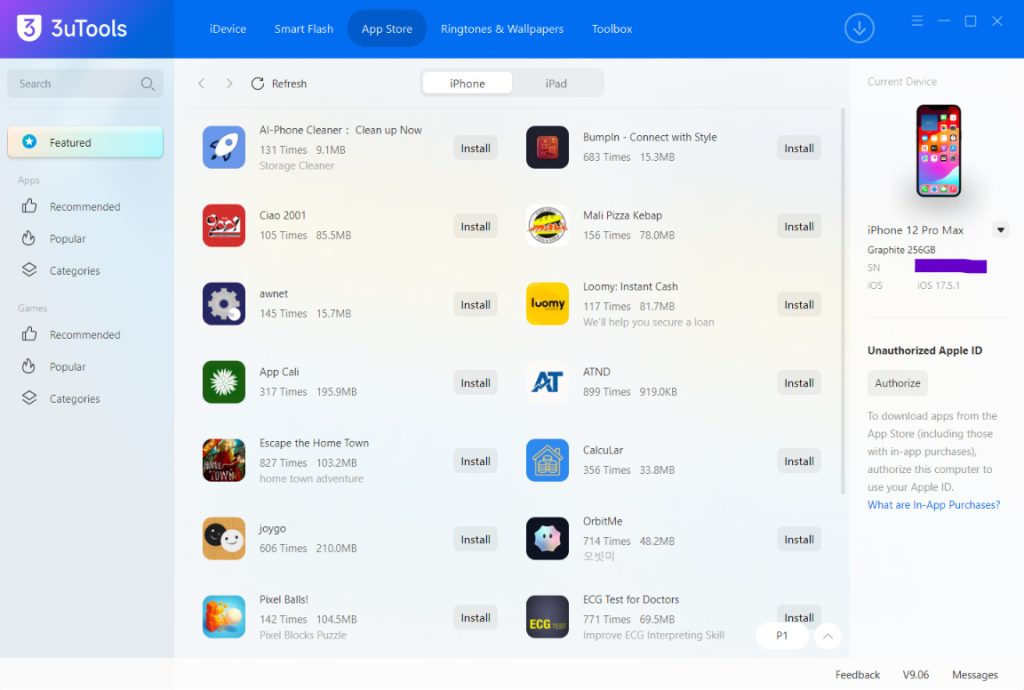
Follow these simple steps to access and use the App Store feature.
Step 01 – Install 3uTools
Download and install the latest version of 3uTools on your computer.
Step 02 – Connect Your Device
Connect your iPhone or iPad with a USB cable.
Step 03 – Launch 3uTools
When your device is detected, open the application.
Step 04 – Go to App Store Section
Go to the Apps section in the platform.
Step 05 – Search the Apps Available
Search for apps or explore through various categories.
Step 06 – Install Your Chosen App
Hit the install button and wait for it to finish.
Download Games with 3uTools
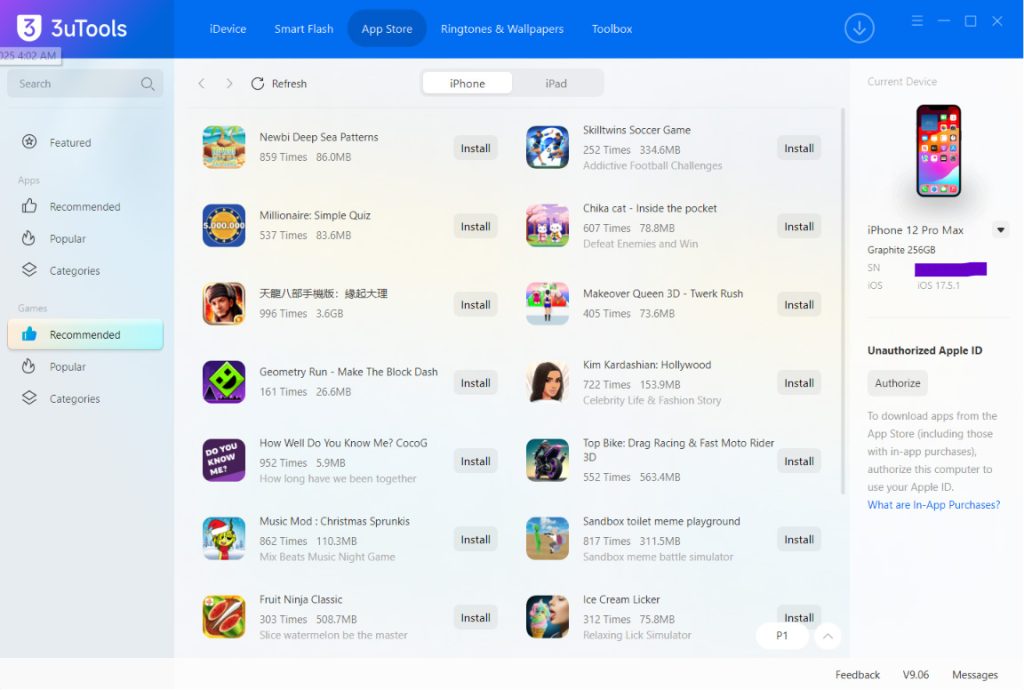
This App Store section is not exclusive to productivity apps. Users can also find and handle some of the best games for their iPhone and iPad.
Games can be organized alongside applications, making device management more convenient. If you’re the kind who frequently installs, updates, or uninstalls games on your devices, then this will come in handy.
You can also have a look at our 3uTools Games guide for more details about managing games with 3uTools.
Benefits of Using the 3uTools App Store
✔️ Better Device Management
Keep your apps and device content in one place.
✔️ Faster Installation Process
Install apps of your choice quickly without navigating multiple menus.
✔️ Improved Organization
Always keep your applications tidy and easy to manage.
✔️ Integrated Features
App management, backup, flashing firmware, and file transfers.
✔️ Free Access
The majority of the 3uTools main features can remain available free of charge.
Supported Devices
3uTools App store is compatible with most of the Apple:
- iPhone models
- iPad models
- iPod Touch devices
- Apple Watch models
Depending on the iOS version that is installed can also change support.
Is the 3uTools App Store Safe?
If you are using the official version of 3uTools, and downloading applications from legitimate sources only to ensure that your app management is safe.
For the best experience:
- Download 3uTools from trusted sources.
- Keep the software updated.
- Verify app compatibility before installation.
- Make backups of important data before performing any major changes.
Related 3uTools Features
If you want to get more from 3uTools, you may also find these guides helpful:
- 3uTools Games – Learn how to discover, install, and manage games on your iPhone and iPad.
- 3uTools IPA Installer – Install compatible IPA files and manage applications directly from your computer.
- 3uTools Toolbox – Explore useful tools for backups, file management, device information, and more.
- 3uTools Virtual Location – Change your device location and test location-based applications.
- 3uTools Firmwares – Download and flash official iOS firmware files safely.
These guides explain how to install, update, and manage your Apple devices using different 3uTools features.
Popular Categories in 3uTools App Store
Social Apps
You can easily download and install Facebook, WhatsApp, Messenger, Telegram and, more popular apps for free. Also you can get,
- CoolApp- Social Reality
- Followers and Unfollow Tracker
- PersianSoulmate
- Viizta
- Lmmi
- Find my Friends, Family Phone
- ChamaApp
Productivity Apps
- CNPJ Consulta
- BuildCode
- AI Meet
- AccountMemo – Memo App
- myKlola
- Image Converter – jpg,png,heic
- Cleanerly VPN
Entertainment Apps
- Liquid Glass Snadbox
- Pengu World – Mini Games
- Cute Cat Wallpapers HD
- SayBeat – Say On Beat Challenge
- Imajourn
- Puzzle – Stopombie
- TV Times Magazine
Utility Apps
- Cricket Wiki
- anz plus
- Icy Fish
- Nexhut
- T-CAR
- BATT POWER
Games
You can download thousands of Games for free from here.
- Project MW
- Dadish 4
- World Atlas – Puzzle Journey
- Abu Flash Challenge
- Villa Escape
- Color Dash
- Bowling Star – Neon
- BV Knight Gun
Frequently Asked Questions
What is the 3uTools App Store?
It is a built-in application management section within the 3uTools software that helps users manage apps on iPhone and iPad devices.
Is the 3uTools App Store free?
Yes. The App Store Feature is Contained in the 3uTools Software.
Can I install apps using 3uTools?
Yes. This software manages the applications with the app installation features of supported devices.
Does it work on iPhone and iPad?
Yes. Support for pretty much all iPhones and iPads, via App Store features.
Can I manage games using 3uTools?
Yes. The software interface lets users manage applications and games.
Is 3uTools safe to use?
3uTools is usually safe to manage a device from trusted sources as long as it was downloaded and used the right way.
Final Thoughts
3uTools App Store with easy application management, useful software identification, and iPhone and iPad device organizing on a computer. When paired with the comprehensive device management features in 3utools, it serves as a compact solution for managing apps, games, backups, etc.
Download and install the latest version of 3uTools today to manage your apps with the App Store feature.