
3uTools Games – Download and Manage iPhone and iPad Games Easily
All the fun of playing games on your iPhone or iPad is at least doubled when you can find, download, and manage them from your computer. The Games section in 3uTools enables users to locate games compatible with their device and to organize installed games and game assets, as well as other iOS applications.
Be it action, puzzle, racing, or strategy titles, as well as casual gaming entertainment, 3uTools offers a simple way to manage your library while providing access to powerful device management tools. In this tutorial, you’ll find out exactly what the 3uTools Games section is, how it works, the main features, and how you can utilize the 3uTools Games section on your iPhone and iPad.
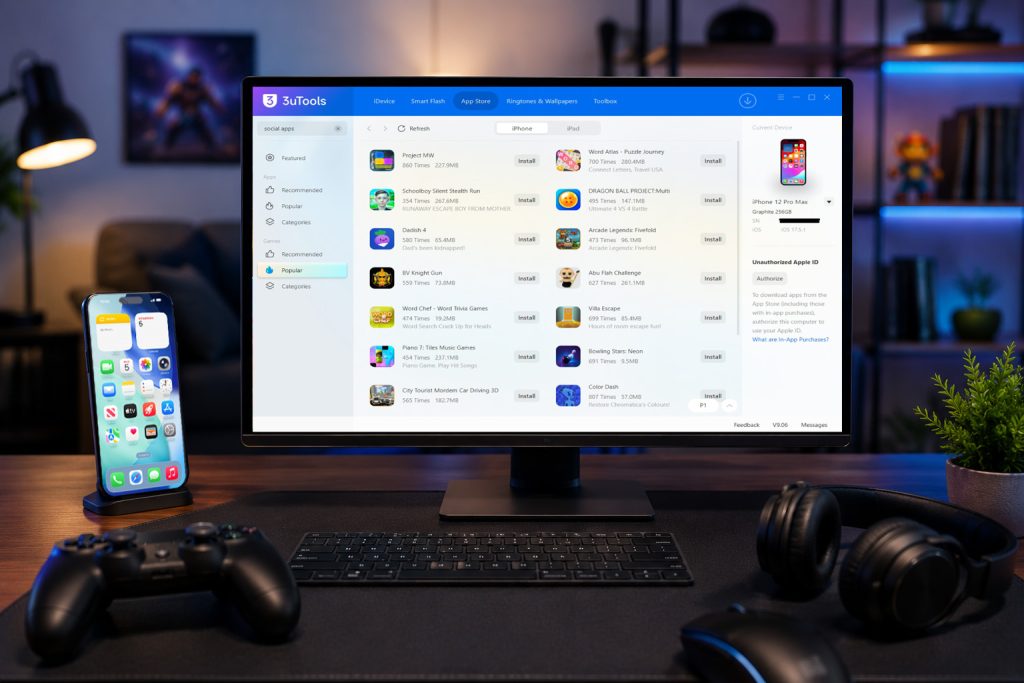
Download 3uTools for Games
To access the Games section, you first need to download and install the latest version of 3uTools on your computer.
Alternative Downloads
3uTools can download not only Windows but also Mac, Linux devices, and directly for iOS devices (supported countries)
3U supports different macOS versions, macOS Big Sur (11.0) to the latest MacOS version. MacBook Air to the latest Mac Devices.
3u Linux .deb file version supports Ubuntu, Debian, Mint, and .rpm file version supports Fedora, CentOS, RHEL-based systems.
3uTools supports all the latest iPhone and iPad devices.
What Is the 3uTools Games Section?
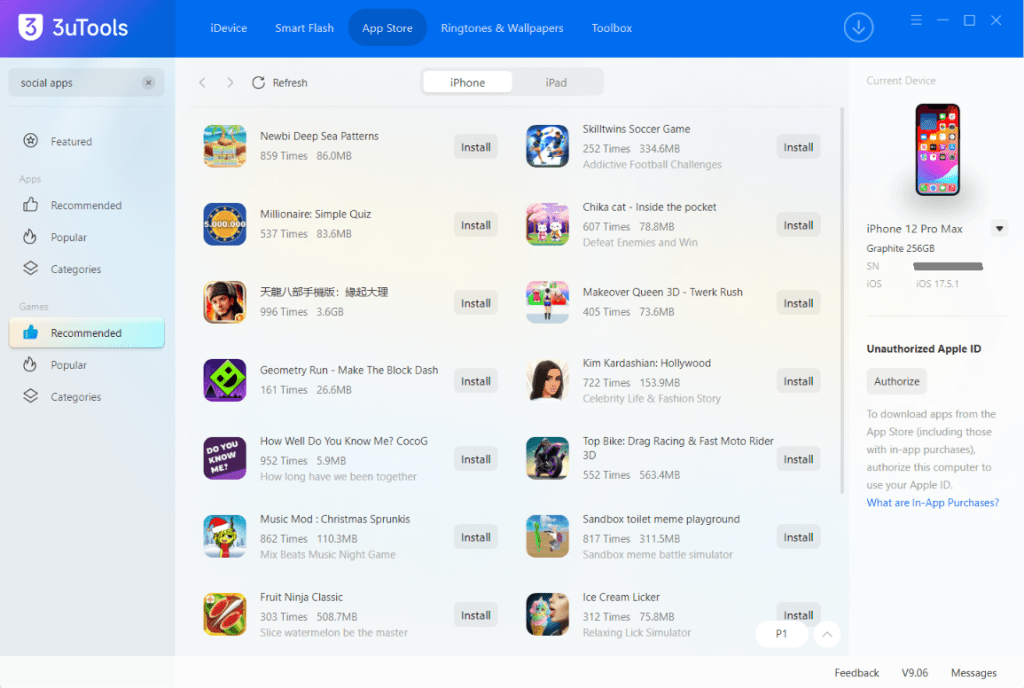
The Games section is included in the built-in 3uTools App Store and lets you find and manage games on supported iPhone and iPad devices. Users can see their entire gaming library from one interface, rather than pulling information from a variety of locations to manage the use case while having other device management features.
Check out our Explore 3uTools App Store guide to see apps in addition to games and find out how you can use 3u Tools to manage software on your iOS devices.
Main Features of 3uTools Games
#️⃣ Browse Popular Games
Play different genres of games and find new titles for iPhone and iPad.
#️⃣ Simple Game Management
Keep your library organized by viewing installed games and then removing the ones you do not play anymore.
#️⃣ Easy Installation
Install compatible games quickly using the intuitive 3u interface.
#️⃣ Device Management
Have everything you need to manage your games, accessing backups, file transfers, battery info, and firmware tools all from the same application.
#️⃣ Fast Search
Search for your favorite games using categories and keywords to find suitable titles more quickly.
How to Manage Games with 3uTools
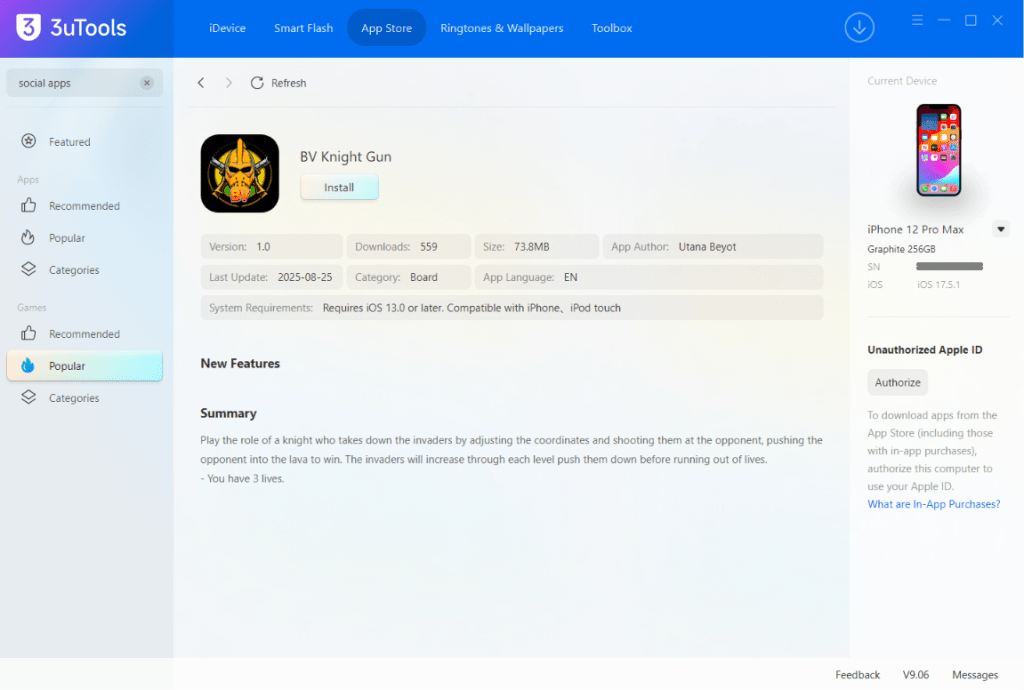
Managing games is straightforward.
Step 01
Install the latest version of 3uTools for your Windows or Mac PC device.
Step 02
Connect your iPhone or iPad using a USB cable.
Step 03
Launch 3uTools.
Step 04
Open the Games section.
Step 05
Browse available games or manage installed titles.
Step0 6
Install, update, or remove games as needed.
Why Use 3uTools for Games?
Using 3uTools gives users more control over their gaming experience.
Convenient Management
Control different games from the computer without leaving the same tool.
Better Organization
This will keep your favorite games easy to access and remove apps that you no longer use.
Integrated Features
Utilize game management with backups, firmware updates, and file transfers.
User-Friendly Interface
It gets you up to speed quickly with a clean interface that is user-friendly, even for beginners.
Popular Game Categories
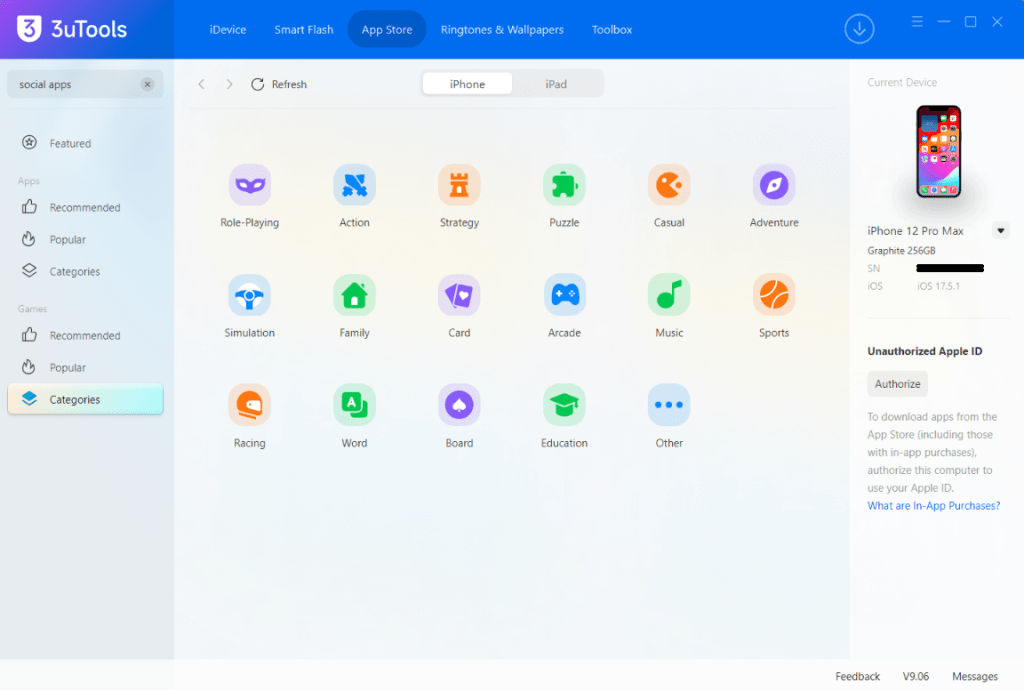
The Games section may include titles from many popular categories, including:
- Action
- Adventure
- Racing
- Sports
- Puzzle
- Strategy
- Arcade
- Casual
- Simulation
- Educational
Browsing categories makes it easier to discover games that match your interests.
Supported Apple Devices
3uTools Games supports many Apple devices, including:
- iPhone
- iPad
- iPod Touch
Availability of individual games may vary depending on the iOS version and device compatibility.
Tips for a Better Gaming Experience
To enjoy the best performance:
- Keep your iOS version updated.
- Maintain enough free storage space.
- Before you go ahead and change a lot of stuff, back up your device.
- Make sure you are using the latest version of 3uTools.
- Download games from trusted sources.
Is 3uTools Games Safe?
As long as you use the official version of 3uTools and don’t abuse it, the software offers an effective way to manage your video game library. Make sure that the apps are compatible and always backup your device regularly before making any serious changes.
Related 3uTools Guides
You can also find these guides useful:
3uTools App Store Guide – Browse and manage iPhone and iPad apps.
3uTools Firmwares – Get official iOS firmware and learn how to flash a device.
Frequently Asked Questions
What is the 3uTools Games section?
This is a native service allowing users to discover, download, and manage games compatible with iPhone and iPad devices.
Can I manage installed games?
Yes. With the 3uTools interface, you can manage supported games, add new games, update old ones, and remove unsupported ones.
Is 3uTools Games free?
It is equipped with the Games section for free by 3uTools, and all major features are available without charge.
Does it work on iPad?
Yes. The Games section supports many iPad models as well as compatible iPhone devices.
Do I need the App Store feature?
The Games section works together with the 3uTool App Store, allow easier to find applications and games more easily from one place.
Is 3uTools safe for managing games?
3uTools is a safe application tool if you download it from official and trusted sources, 3u Tools provides a reliable way to manage apps and games on supported iOS devices.
Final Thoughts
The Games section within 3u helps you find your favorite games and manage them in minutes. Coupled with the magnificent tools across 3u, it is an incredible way for users to enjoy their favorite games and keep their devices clean and organized.
So download the latest version of 3uTools today and open the Games section to easily manage your games on Apple devices.